

Why Modern ERP & CRM Systems Need Mobile Apps for Employees and Field Teams
8/27/2026
Quick Answer
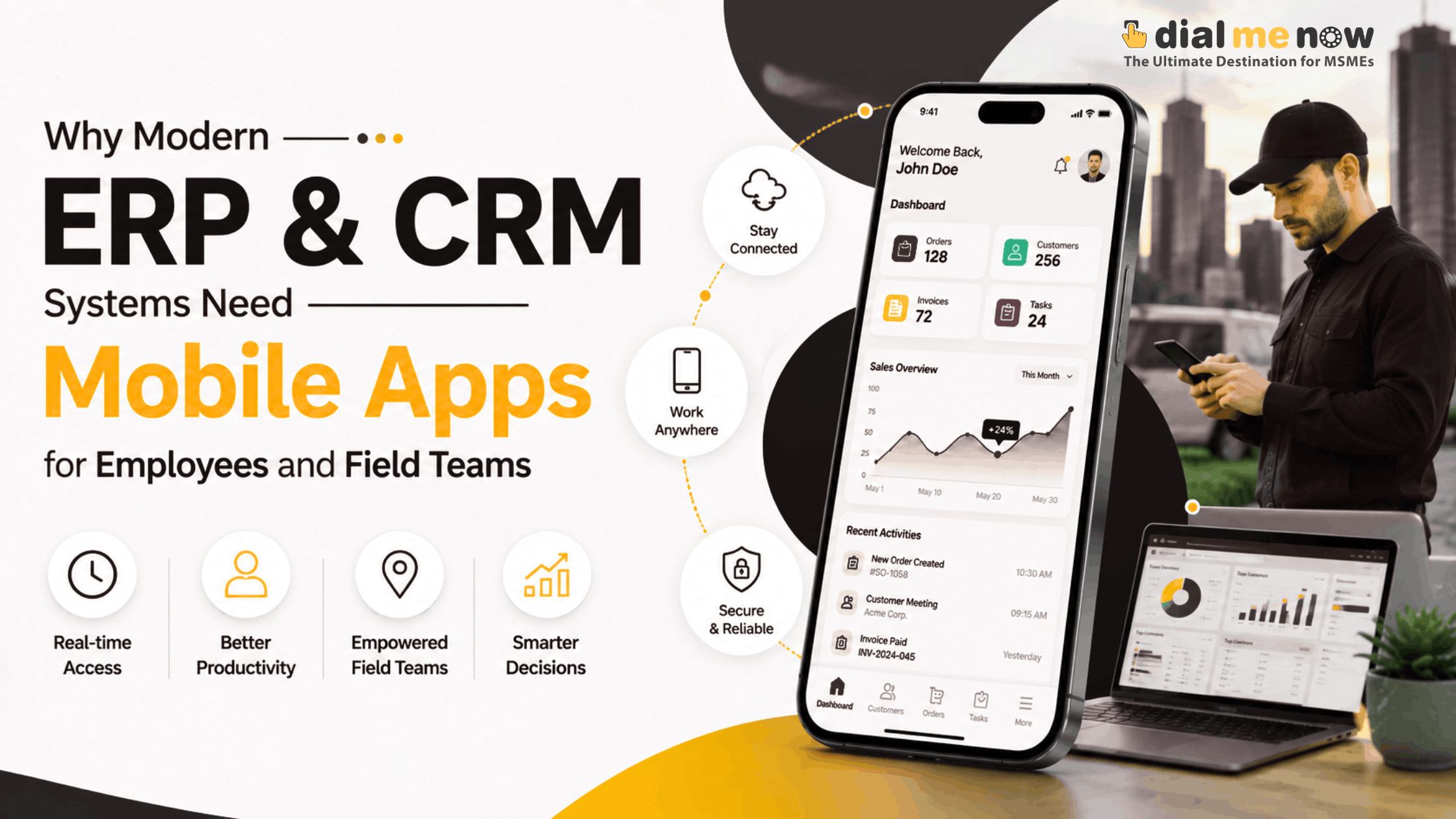
An ERP or CRM mobile app is valuable when employees work outside a fixed desktop environment. It can give field teams access to leads, visits, tasks, service jobs, stock, attendance and customer history, while managers can review dashboards and approvals. The mobile app should expose only the workflows that make sense on a phone rather than duplicating the entire desktop ERP.
ERP and CRM software has been designed for office desktops until now. Modern organizations operate differently. Sales staff go out on the road, servicing staff goes to the client’s place, managers move across various locations and warehouse staff needs real-time data.
When the solution can be used only via the desktop, employees will fall back to making calls, writing memos, and using WhatsApp when out of the office. The information will then be entered much later or, possibly, never.
The mobile app will help bridge the gap and connect employees to specific ERP/CRM processes in real time. The trick is in designing mobile access that corresponds to employees’ tasks outside the office rather than squeezing everything that was there on the desktop onto the smartphone.
ERP or CRM Mobile Access Benefits Who the Most?
• Foot soldiers who require leads, customer details, notes, and quotes.
• Maintenance personnel who need jobs, status tracking, and reporting uploads from the job location.
• Executives who need to have access to approvals, notifications, and dashboards on the go.
• Warehouse staff who require product/stock updates right where it is happening.
• Logistics or delivery personnel who require progress reporting.
• Employees who require workflows such as attendance, leaves, expenses, and tasks.
Task First Over Features on Mobile
One frequent error is trying to recreate every possible ERP menu within a mobile app. The phone is different from a desktop in its usage. Users usually require fast completion of certain tasks.
For instance, a field sales representative requires only today’s visits, customer details, notes from calls, creation of follow-up actions and quotations’ access. For managers it is necessary to have pending approvals and dashboards’ summaries. A service engineer requires information about his or her assigned jobs, navigations, photos and status updates.
This approach will make the app easier to learn and avoid unnecessary access to sensitive information..
Provide Salespeople With the Customer Data While in the Field
When a salesperson meets a client, he or she does not need to call the office and ask about which quotation was sent last week.
Mobile CRM access provides access to customer history, active leads, all notes and pending follow-ups. The user can add the result of the meeting right there, without taking notes somewhere else and entering them again later.
Streamline Approvals without Compromising on Control
Approvals tend to slow down the process whenever managers are not in their offices. The approval for purchasing, discounts, spending, etc., would only take place by making a phone call.
A mobile workflow can allow for the viewing of the approval, the context and the choices of the approval. It could keep track of the person that approved the action and the time of the approval.
Sensible approval actions need suitable security controls.
Leverage Mobile Capabilities Where There is Value to Them
Mobile applications can do more than show webpages on mobile. For business purposes, there may be use of the camera for documentation or job photography, location for any authorised fieldwork, push notifications for work allocation and even mobile device storage for offline work.
It is important that the capabilities of the application should only be leveraged where they add value to a proper process. This means location capabilities need to take into account transparency and retention.
And What About Work When Offline?
he field workers may work in areas where network connection is unstable. In this case, an offline application will help see or capture certain data locally and synchronize it once the network is back.
Offline functionality is not a yes or no option. It is for the development team to determine what data should be saved locally, how to resolve any conflicts, and how to protect sensitive data.
Organizations should concentrate on workflows which really require offline capabilities instead of making their whole ERP system offline.
Security Requirements for Business Mobile Applications
• Use authentication that is relevant to risk.
• Use role-based access control with least privilege principle.
• Protect sensitive information in transport as well as stored data within application.
• Put mechanisms for session expiration and access withdrawal in place.
• Keep logs for business-critical activities.
• Validate uploaded files and user inputs.
• Secure API calls from the mobile app to the backend system.
• State requirements regarding backup, incident handling and software updates.
• Consider privacy aspects of accessing location, contact list, camera or other device functionality.
Native Application, Cross-Platform Application or Responsive Web Application?
This all depends on the capabilities of the devices, whether there is a need to work offline, performance and budget.
A responsive web application might suffice in case of dashboards and simple workflows. Development for cross-platform might help in case of developing for both Android and iOS to cut the duplication of efforts. A native application might be required in case of deep integration with the device and other special needs.
The choice should depend on the requirements not the trends. In many cases of internal business applications, the simpler the better.
How Dial Me Now Can Assist
Dial Me Now offers development solutions of websites and apps and has the expertise to design connected business systems wherein an ERP system or CRM system is integrated with a mobile application used by employees or field staffs.
This will allow defining the scope of the project based on users, permissions, field workflows, offline capabilities, notifications, features, and device integrations. For more details about your custom ERP, CRM, or mobile business application, contact DialMeNow.in.
Frequently Asked Questions (FAQs)
1. Do all ERP systems require an app for smartphones?
No, not necessarily. A responsive web interface might be enough if all users can operate comfortably on desktops. The app makes sense for field activities.
2. Is it possible for the app to display only specific ERP modules?
Yes, quite definitely. It will be much better. Mobile users need only relevant workflows and data.
3. Can field workers operate the app offline?
Selected workflows might be set up to be available offline, while data storage and synchronisation need to be taken care of.
4. Can the app send push notifications?
Yes, the app can send push notifications if necessary, as long as users grant all necessary permissions.
5. Can GPS be used for field visits?
It can be, but a company should establish a policy in this matter.
6. Would a mobile web app be sufficient for CRM?
In some simple business processes, yes. But a mobile application will become more effective in case you need offline functionality, notifications or deeper integration with device.
7. Is it possible for employees to upload photos and documents?
Yes. Uploads can be implemented with proper validation and storage.
8. How to revoke access to the mobile app once the employee left the company?
There is a possibility to do that using central authentication services and disabling user accounts or sessions.
9. Could one app be used by both sales and service departments?
Yes, with proper navigation design for specific roles each user would have different options available from the same platform.
10. Should we develop mobile app before ERP?
Not always. The basic data model and workflows should be defined first.
Conclusion
Mobile access makes ERP/CRM systems even more effective for scenarios where work is done away from the office environment. The idea is not to transfer all the functionalities of a desktop solution to a smaller screen but to provide the appropriate information and action capabilities to each individual employee just when they require it.
For businesses with heavy field operations, mobile integration with the solution can help ensure fresh data, fast reaction times, visibility and less data duplication.
To know more about a mobile ERP, CRM and field operations solution, please visit DialMeNow.in and send your requirements to the Dial Me Now team.
Would you like to discuss your requirements further? Please visit DialMeNow.in or Contact Us.
Internal Links Suggested for This Series
- Private CRM for Sales Departments: Lead Management, Follow-up Actions, Quotes and Conversions All in One
- How Custom ERP, CRM & Mobile Apps Can Be the Digital Infrastructure of Your Business
- From an Ordinary Single Page Site to a Full Business Website: Get Your Online Footing with Dial Me Now
Disclaimer
This piece contains technology information in general. Security and other considerations for mobile apps, permissions, location services, offline data storing and integration requirements vary from app to app and organisation to organisation and under applicable law.